

How to collect and use documentation feedback
Collect page-level feedback with enough context, review recurring problems, and turn clear reports into documentation or product work.
Documentation feedback is useful when it tells you where the reader was, what they were trying to do, and what got in the way.
A rating can show you where to look. A short comment or optional screenshot can give the team enough context to start investigating.
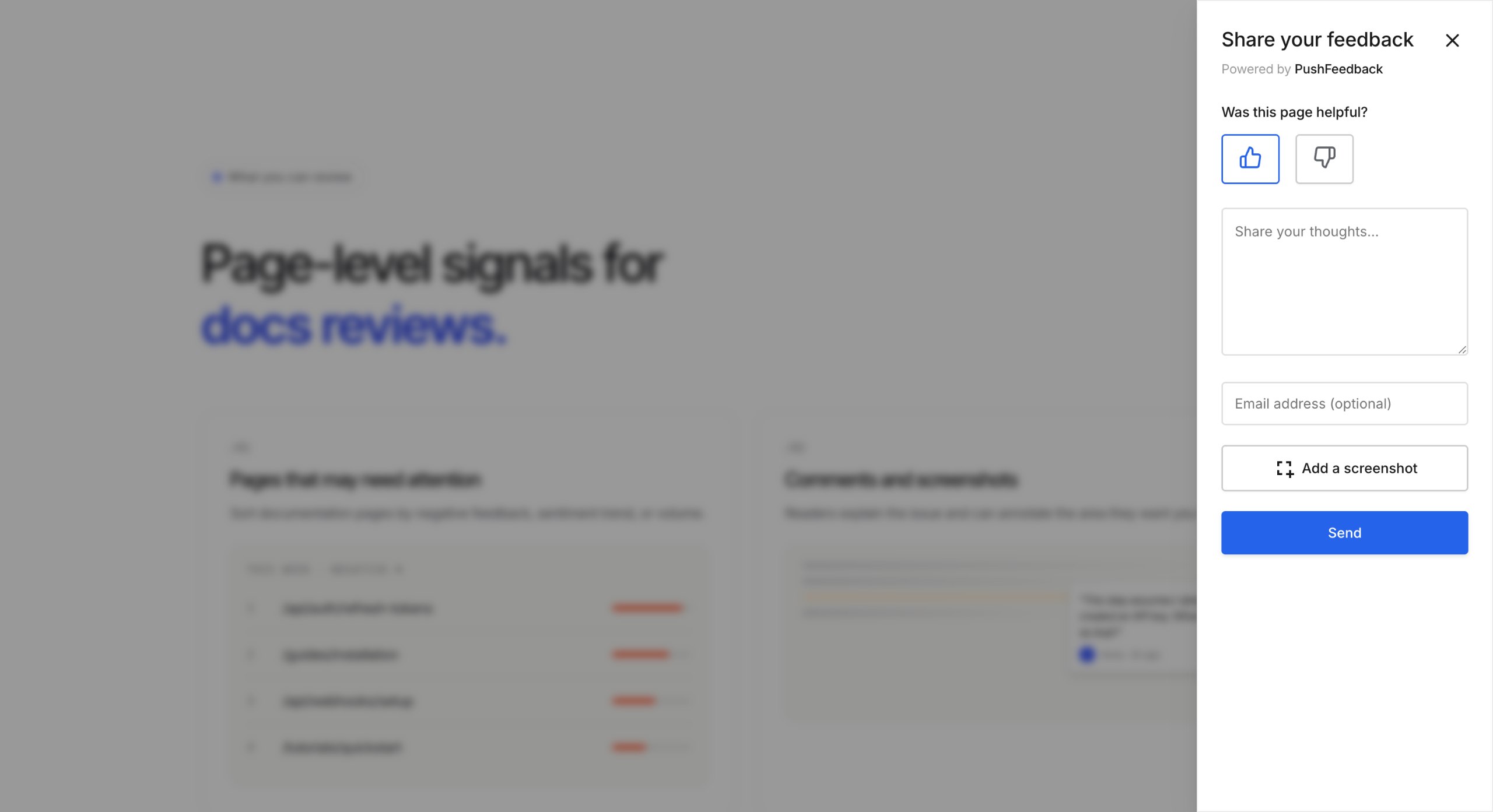
Ask for feedback on the page
Start with a simple page-level question such as:
Was this helpful?
Then give readers an optional way to explain what went wrong.
A feedback widget can collect a rating, comment, page context, and optional contact or visual information depending on your setup.
The placement should match the reader task.
An end-of-guide prompt works well when you want to know whether the page helped someone complete the task. Visual feedback is more useful when the reader needs to point to a specific code block, diagram, table, screenshot, or page element.
Do not make every field mandatory. The goal is to collect enough context to understand the problem without turning feedback into a long form.
Keep the page, task, and comment together
Before changing the documentation, read the page the reader reported.
For a useful report, keep these pieces together:
- page URL
- rating or feedback type
- reader comment
- the task they were trying to complete, when available
- relevant page context
- optional screenshot or annotation
A screenshot can show where someone got stuck, but it works best alongside a short explanation of what they were trying to do.
When you first test the workflow, use a public or synthetic page. If you enable feedback on pages that may contain sensitive information, review the email, screenshot, access, and retention settings that apply to your project.
Decide whether the problem belongs in the docs
Feedback should lead to an investigation, not an automatic rewrite.
| What you find | Next action |
|---|---|
| A prerequisite, explanation, link, or example is missing | Update the documentation |
| The page is correct but difficult to understand | Improve the wording, structure, example, or navigation |
| The published instructions conflict with current product behavior | Verify the product behavior before changing the page |
| The reader is asking for unsupported functionality | Route the request to product or support where appropriate |
| The report does not contain enough context | Look for repeated reports or ask for more detail before assigning work |
For example, a report that says an OAuth scope is missing becomes a documentation change only after the team confirms which scope is actually required.
If the reference page matches the intended behavior but the live product behaves differently, investigate the product instead of rewriting the documentation around an unverified result.
The feedback management tool lets teams read, filter, archive, and export reports while reviewing this queue.
For API-specific reports, see how to collect actionable feedback on API reference documentation.
Look for repeated problems
One report can identify a real issue. Repeated reports can help you decide which issues deserve attention first.
Look for patterns such as:
- several readers missing the same prerequisite
- repeated confusion around the same term
- multiple reports on one code example
- the same task appearing across several pages
- recurring feedback after a product change
Do not prioritise only by the number of reports. A single report about a dangerous or completely broken procedure may matter more than several minor wording complaints.
Use frequency together with the importance of the task and the clarity of the evidence.
Use AI to summarise feedback, then check the reports
When feedback volume grows, AI can help group reports and surface recurring themes.
AI Reports can analyse a selected feedback set and suggest summaries, themes, representative quotes, and actions to review.
Use those suggestions to decide where to look next. Before changing a page, check the underlying reports, the current documentation, and the relevant product behavior.
AI is most useful here for reducing review work, not for making the publication decision.
Recheck the task after a change
After updating a page, repeat the task that triggered the feedback.
Check whether:
- the missing information is now present
- the example works as documented
- the confusing wording is clearer
- the relevant page is easier to find
- the product and documentation now agree
Then keep an eye on later feedback from the same page or task.
If the same problem continues to appear, the first change may not have addressed the real cause.
Run a small weekly feedback review
You do not need a large reporting process.
A simple weekly review can be enough:
- Review new and recurring reports.
- Group reports that describe the same problem.
- Check the relevant documentation.
- Decide whether the next action belongs to docs, product, support, or further investigation.
- Assign the change.
- Recheck important tasks after publication.
Keep the queue small enough that someone can actually investigate the reports rather than only counting them.
Frequently asked questions
Can AI Reports decide what documentation to fix?
No. AI Reports can help summarise feedback and surface themes, but the team should check the underlying reports and documentation before deciding what to change.
Do page views show whether documentation is helpful?
No. Page views tell you that a page was visited. Feedback adds information about what the reader was trying to do and where they had trouble.
When should readers attach a screenshot?
Ask for a screenshot when visual context makes the problem easier to understand, such as a confusing code line, diagram, table, screenshot, or form state. A screenshot should support the reader's explanation rather than replace it.
Should every feedback report become a documentation task?
No. Some reports describe product behavior, unsupported requests, or problems that need more evidence. Check the page and the reader task before assigning the work.
How much feedback should we collect before making a change?
There is no minimum number. Act when the evidence is clear enough and the problem matters. Use repeated reports to help prioritise issues that are less urgent or less obvious.
Turn feedback into the next useful change
Ask readers for enough context to understand what they were trying to do and where they got stuck.
Review the page, decide whether the problem belongs in documentation or elsewhere, make the change, and recheck the same task afterwards.
When you are ready to collect page-level feedback, create a PushFeedback project.