

Generate an AI report from your feedback
AI Reports reads every feedback comment in a date range and returns a structured report, so finding patterns no longer means tagging comments by hand. Go to Analytics and click Generate AI Report.
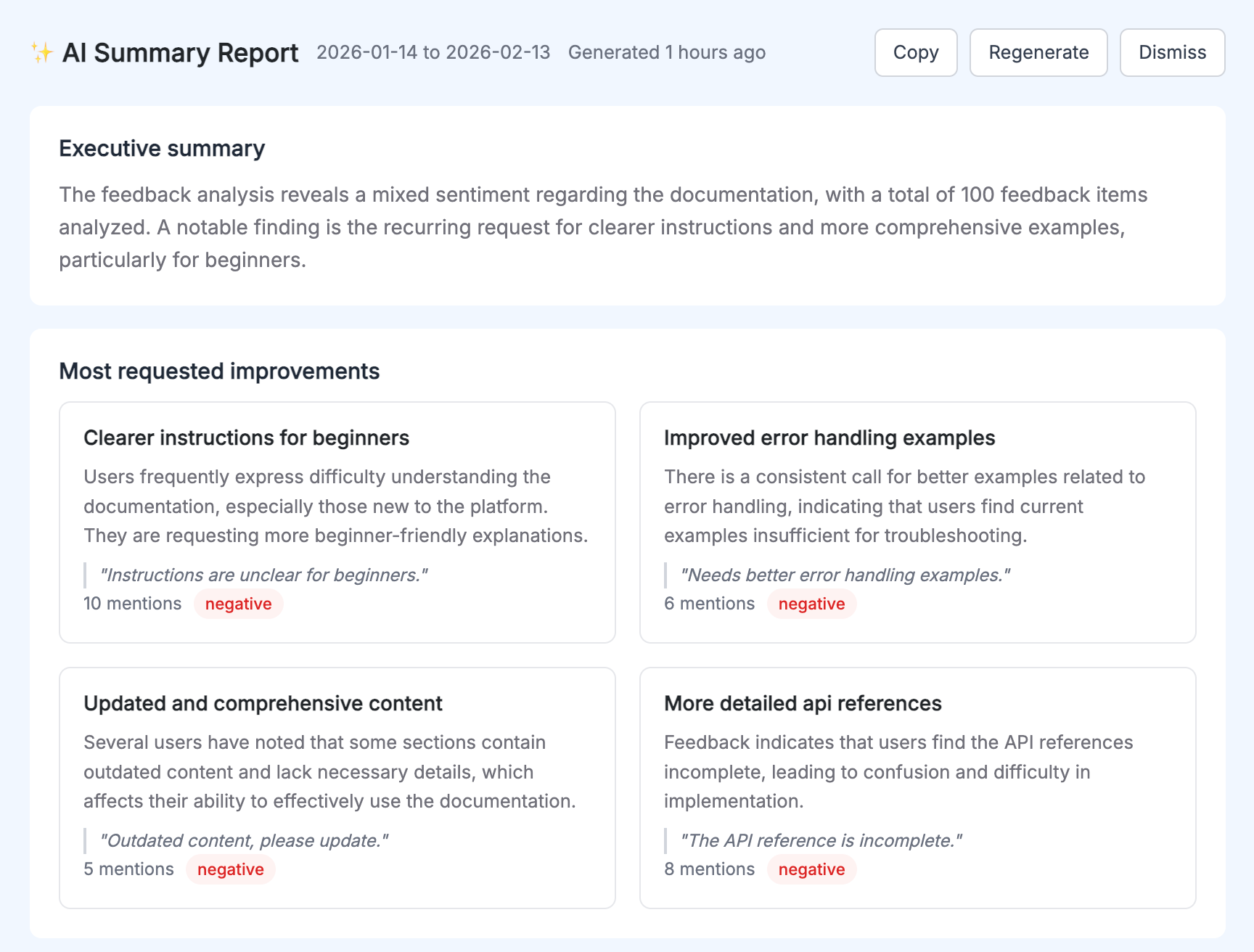
Each report gives you:
- An executive summary with feedback volume, overall sentiment, and the most notable finding.
- The top recurring themes, each with a mention count, a sentiment label, and a real user quote.
- Concrete recommendations for what to fix next, based on the patterns in your own data.
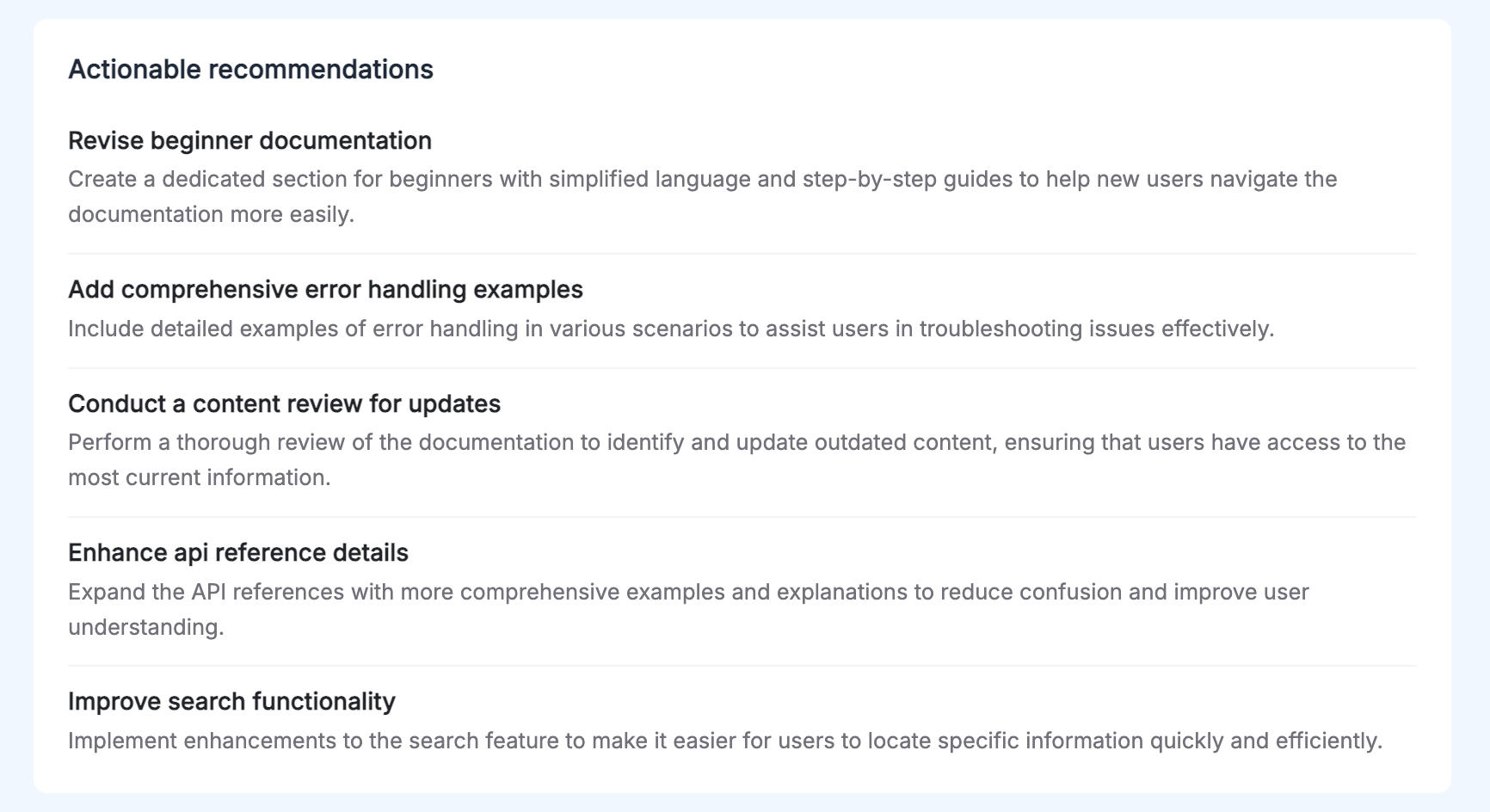
Once a report is generated you can copy it to share with your team, or regenerate it for a fresh analysis.
Run one before a documentation rewrite and one a few weeks after. The themes that disappear are the evidence the rewrite worked.
One thing to know before you turn it on: OpenAI is now a third-party data subprocessor. Team admins can opt out of AI features under Team settings, and the security overview has the detail.
AI Reports is available on the Unlimited plan. See AI Reports for what it produces and /pricing for what the plan includes.